UAR Enhancements & Fixes
1. Updates in Campaigns
2. Notifications
3. Connector Updates
IGA Enhancements & Fixes
1. Ticketing Integration
2. Access Template Enhancements
3. Manage Access / Access Requests
Upcoming Feature
1. NHI-AI Agents
2. AI Agent Mind Map
UAR Enhancements & Fixes
1. Updates in Campaigns
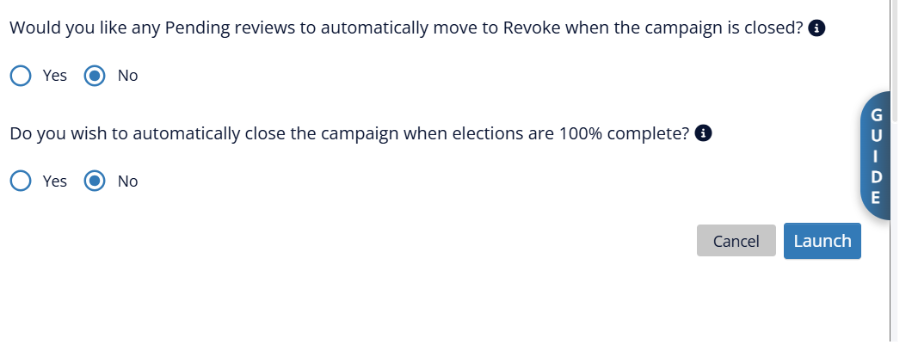
Auto-Revoke Pending Reviews at Campaign Close
A new configurable option allows administrators to automatically revoke all pending reviews when a campaign closes (manually or at the end date) and there are any pending reviews. This can be enabled during campaign launch and edited while the campaign is open. The revoking admin is captured as the “Actual Reviewer” for audit purposes.
Prevent Emails on Failed Campaign Creation
Campaign notification emails are now sent only after a campaign has been created successfully. If creation fails, no emails are triggered — preventing confusion for reviewers.
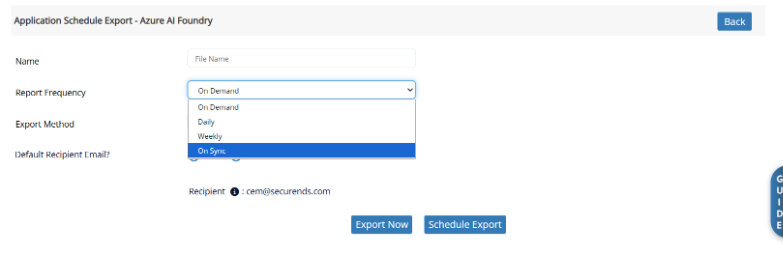
“On Sync” Option for Scheduled Exports
A new “On Sync” frequency option has been added to Application/SOR schedule exports. When selected, exports are automatically triggered after each successful sync completes.
Manager Review – Escalation to Application Manager
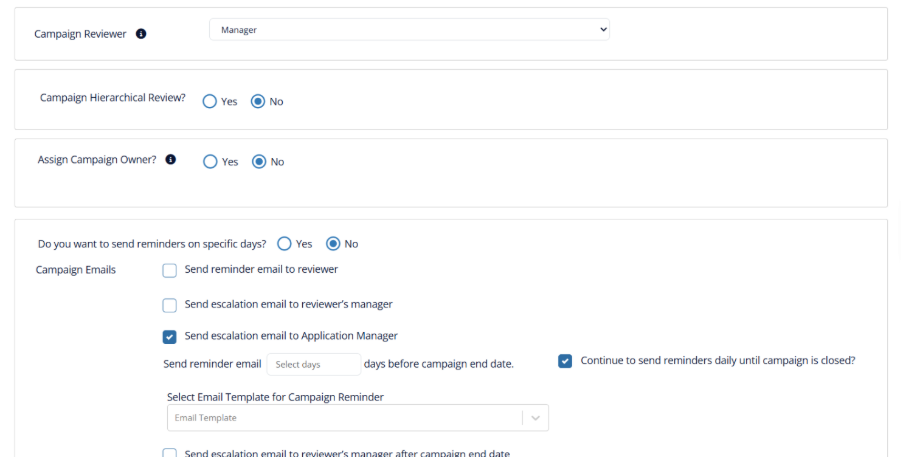
Escalation emails can now be sent to Application Managers (Risk Managers) when reviewers have pending items in a Manager Review campaign. Administrators can enable this feature by selecting Send Escalation Email to Application Manager in the campaign reminder settings. If multiple pending users share the same Application Manager, they receive a single consolidated email.
2. Notifications
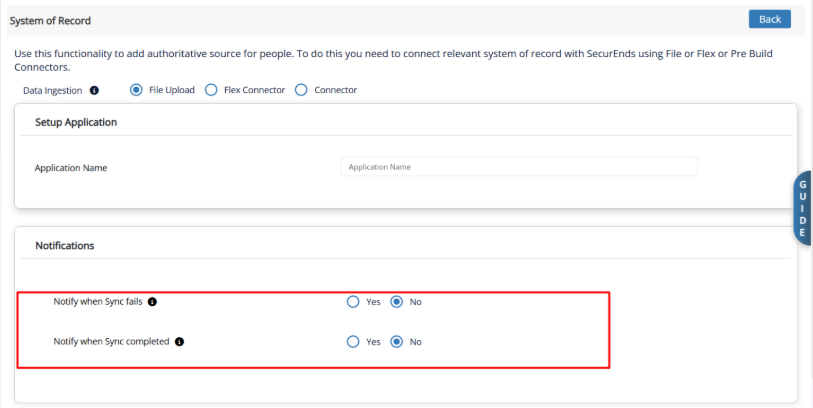
Sync Completion Email
A new configurable email notification is sent to administrators when an application or SOR sync completes successfully. The email includes sync summary details (uploaded, skipped, and total records) and a credential breakdown (matched, unmatched, service accounts, excluded, deleted, purged). Enable this under the Notifications section on the Application/SOR page.
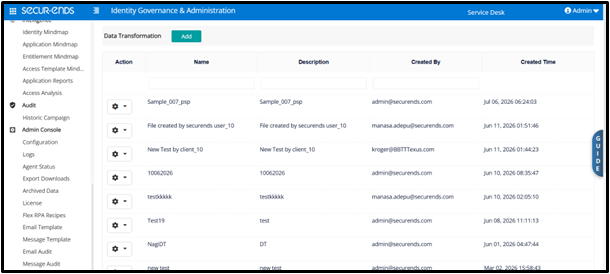
Data Transformation – File Upload Notifications
The platform now sends automated email notifications during the Data Transformation workflow.
When a file is uploaded for transformation, our support team is immediately notified.
Once the transformed file is uploaded back, the original uploader receives an email confirming the file is ready, along with a direct link to access it.
3. Connector Updates
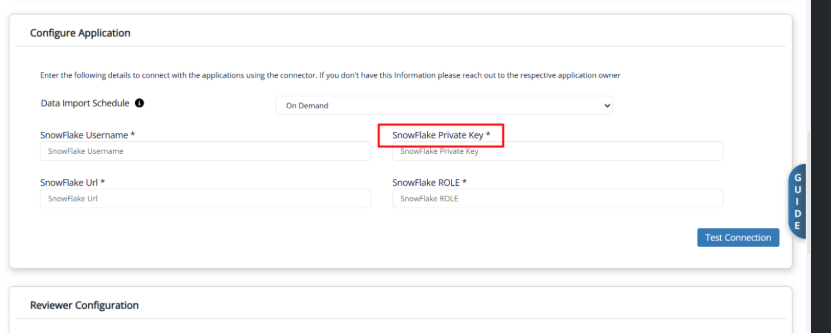
Snowflake — Key Pair Authentication
The Snowflake connector now supports key pair authentication, replacing the legacy username/password method ahead of Snowflake’s planned deprecation of password-based authentication.
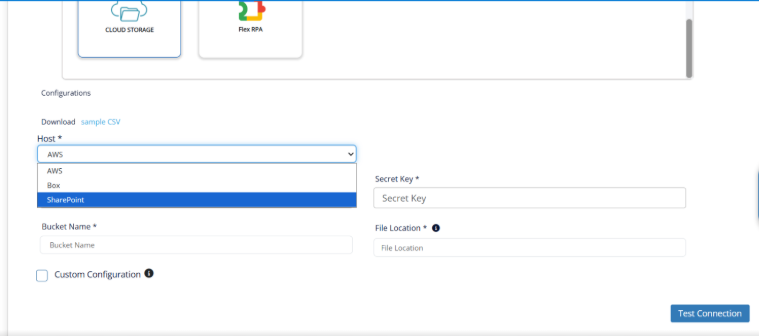
Cloud Storage — SharePoint Support
SharePoint has been added as a new option in the Cloud Storage connector, alongside AWS and Box.
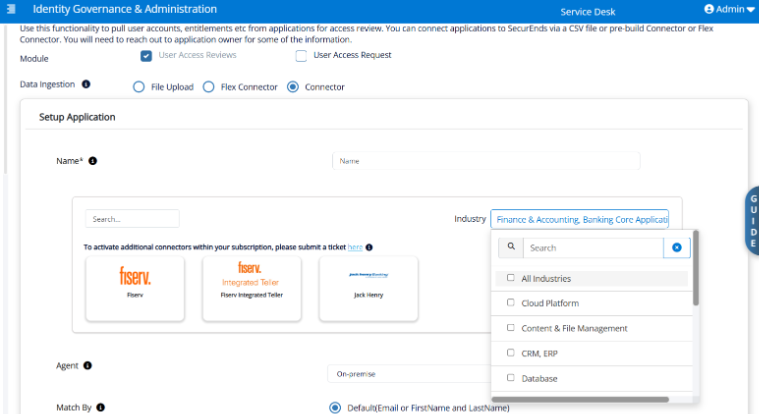
Industry-Based Connector Filtering
Administrators can filter available connectors by categories such as Cloud Platform, Database, Human Capital Management, and Identity and Access Management, making it easier to locate the appropriate connector.
UltiPro — Email as Credential for SOR
The UltiPro connector now uses the email address as the credential when configured as an SOR endpoint, with improved handling of duplicate records and manager mapping.
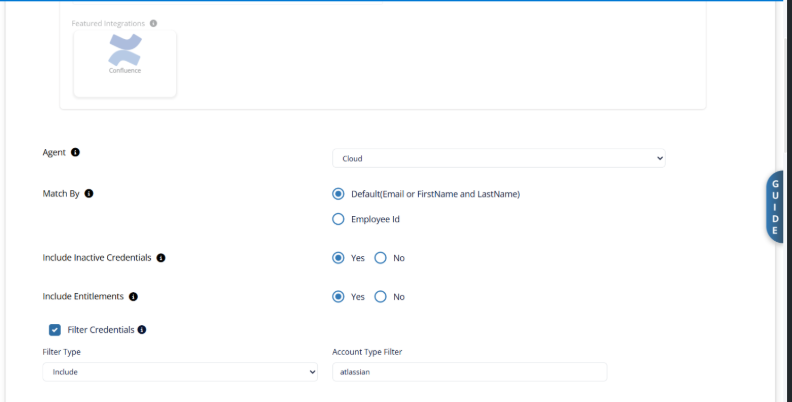
Confluence — Account Type Filter
The Confluence connector now filters out non-human accounts (bot and system-level accounts) during sync, consistent with the Jira connector behaviour.
Salesforce — Complete Permission List
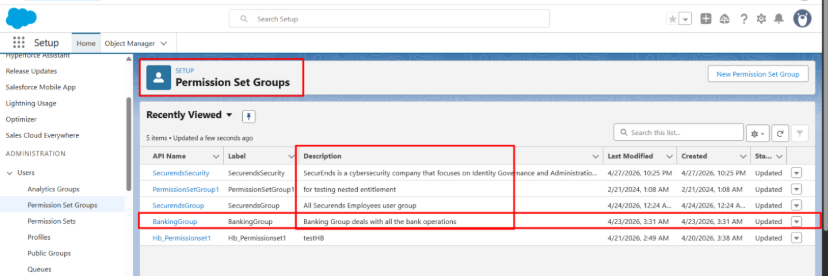
The Salesforce connector now retrieves the complete list of permissions available within the connected Salesforce environment during synchronization. This provides more complete entitlement visibility for access reviews, analysis, and governance.
IGA Enhancements & Fixes
1. Ticketing Integration
Freshservice for IGA
Freshservice ticketing support has been extended to the IGA (provisioning) module, allowing Freshservice tickets to be created for access request provisioning workflows — in addition to the existing UAR/Campaign support.
2. Access Template Enhancements
Access Template Analysis
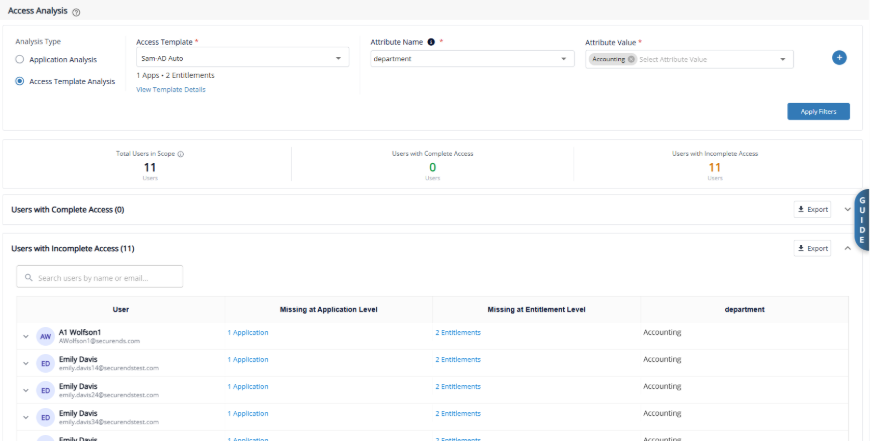
A new “Access Template Analysis” option is now available under Intelligence → Access Analysis.
Select an Access Template and apply attribute filters to see which users have complete access versus incomplete access relative to the template. Users with missing applications or entitlements are highlighted, and full export support is included.
Entitlement Visibility in Request Screens
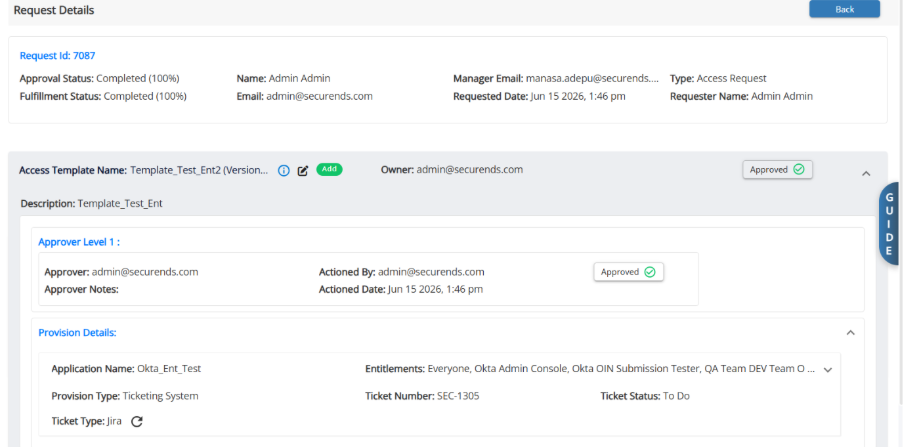
Access Template request details now display the specific entitlements selected under each application.
This information is available across All Requests, My Requests, and related request-detail screens, providing approvers, administrators, and auditors with greater visibility into the access included in each request.
3. Manage Access / Access Requests
Service Account Requests
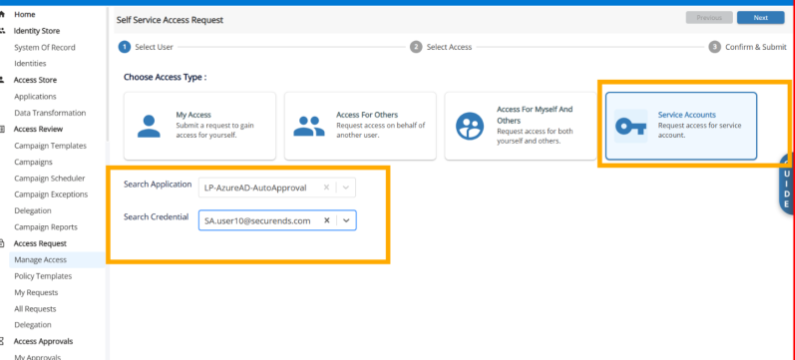
A new “Service Account” tile has been added to the Manage Access screen, allowing users to search for and raise access requests for service account credentials. Requests follow the same approval and provisioning workflow as user requests.
Default Approver at Application Level
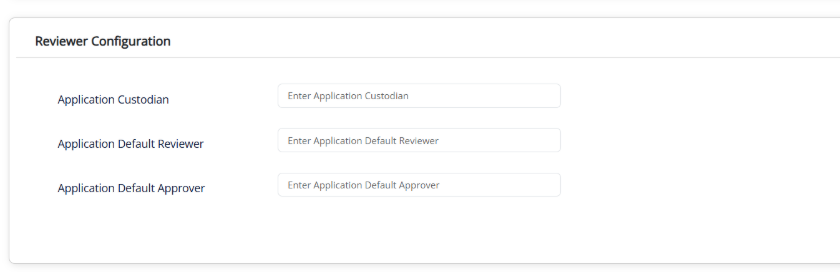
You can now assign an “Application Default Approver” at the application level. If a user’s manager is unavailable, requests automatically route to this approver before falling back to the Global Default Approver.
Entitlement Sorting in Manage Access
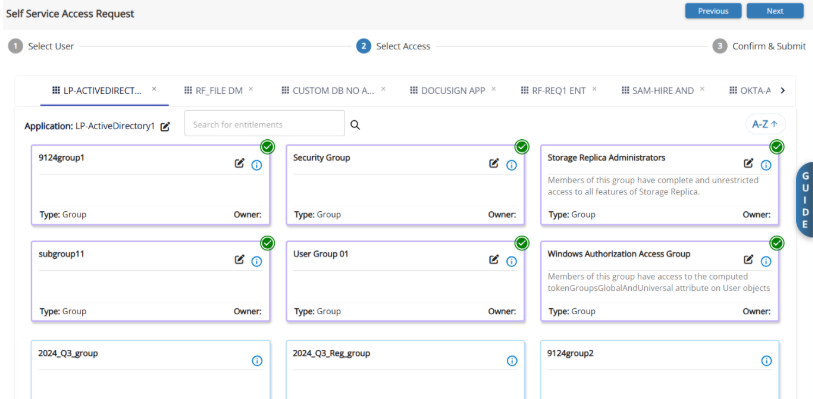
Entitlements are now displayed in alphabetical order by default, with a dropdown to toggle between A–Z and Z–A sorting. Already-assigned entitlements appear first.
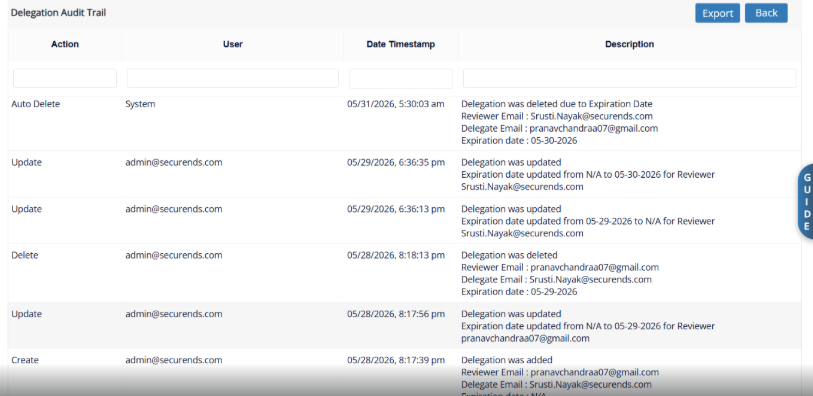
Delegation Audit Trail & Export
A full audit trail is now available for access request delegations, tracking all add, delete, and update actions with timestamps. Both the delegation list and audit trail support CSV export.
Auto-Remove Custodians on Application Disable
When an application is disabled, all entitlement custodian and application custodian assignments are now automatically removed, preventing orphaned assignments. A warning message is displayed in a Popup.
Upcoming Feature
1. NHI-AI Agents
Non-Human Identity:
AI Agent Access Discovery & Reviews (Azure & AWS)
What’s New:
- You can now discover and govern User → AI Agent access relationships from Microsoft Azure AI Foundry and AWS directly within the platform.
Key Capabilities:
- New “AI Agents” connector category — Two new connectors (“Azure AI Agents” and “AWS AI Agents”) are available on the Applications page
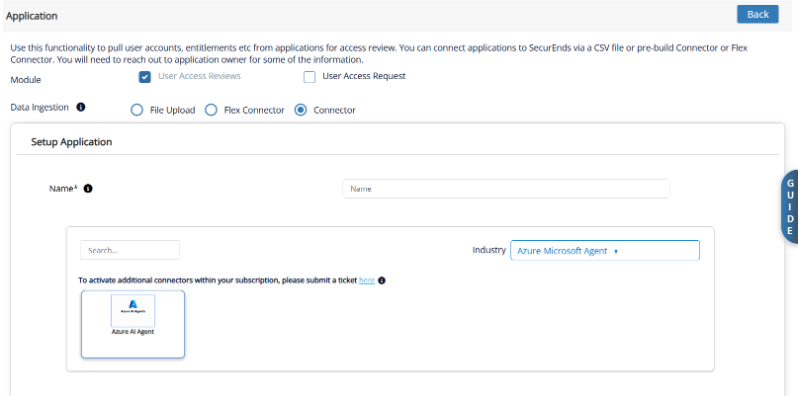
Automated discovery of:
- AI Agents available in your Azure AI Foundry / AWS environments
- Users who have access to those agents
- Permissions and roles granted to users on each agent
- Project/workspace context associated with each agent
Access Reviews — Discovered user-to-agent access can be included in UAR campaigns for periodic review and certification
Why It Matters:
As organizations adopt AI agents across cloud platforms, governing who can access these non-human identities is critical for security and compliance. This feature extends your existing access review capabilities to cover AI agent access alongside traditional application entitlements.
2. AI Agent Mind Map
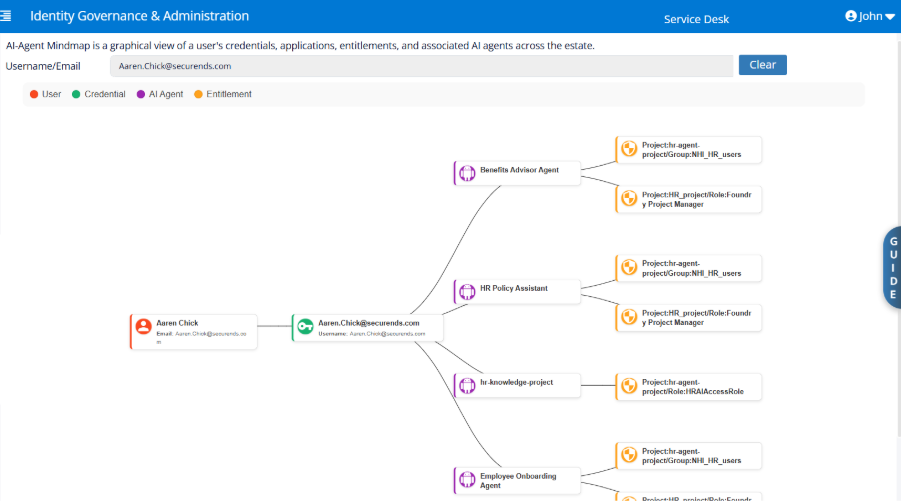
This mind map provides an overview of:
- The AI Agents available to users based on their access permissions.
- The entitlements each AI Agent can access.
- The relationship between users, AI Agents, and entitlements to help understand access and authorization controls.
Use this diagram as a quick reference to identify which AI Agents users can interact with and the capabilities available to each agent.