
Identity Governance Is Still Not Solved, and Community Banks and Credit Unions Feel It Most
Identity Governance Is Still Not Solved, and Community Banks and Credit Unions Feel It Most
Four conferences in three weeks, one conclusion
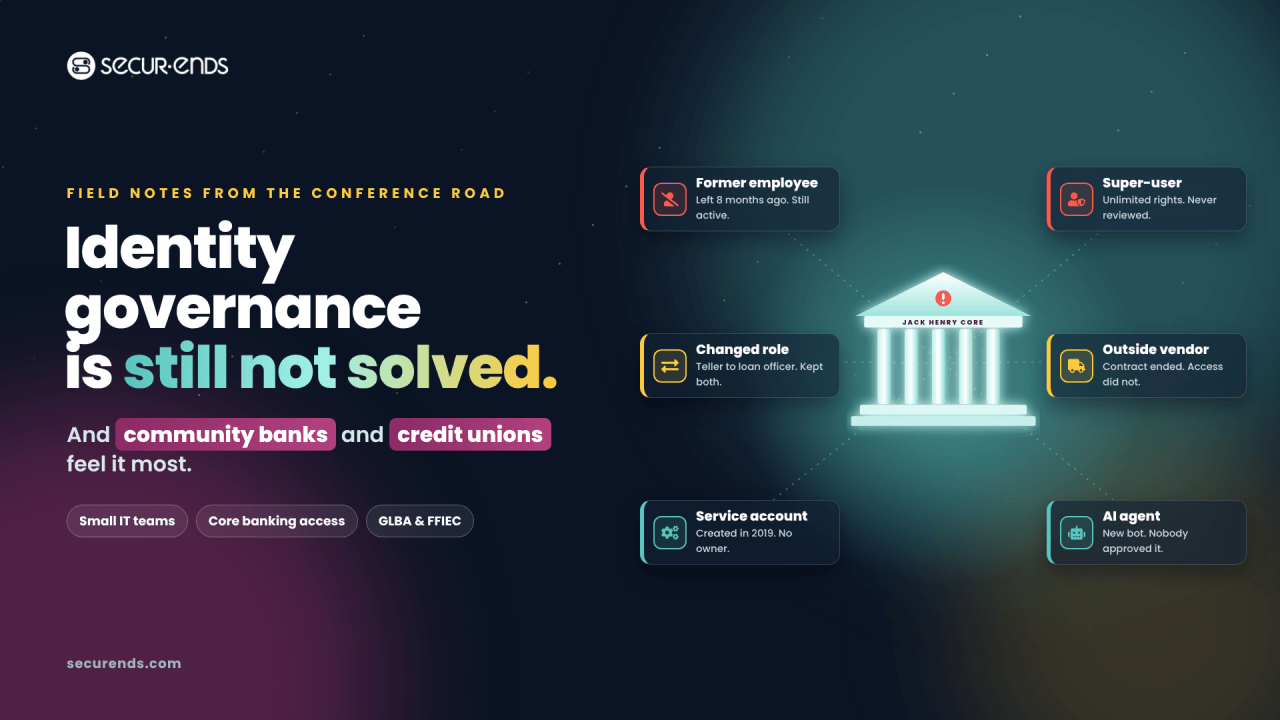
Identity governance is still not solved.
Over the last three weeks, I spoke with security and GRC leaders at four conferences. In New York, I met teams from some of the largest banks in the world. They have deep benches, large budgets and mature programs.
Yet the story was the same almost everywhere. They cannot see every identity across every application. Access reviews still run in spreadsheets, or are only partly automated. And with legacy IGA, even a simple review needs developers, business analysts and project managers.
If the largest institutions still struggle, what does that mean for a community bank or credit union with three people in IT?
That question is on my mind as I head to Jack Henry Connect in Kansas City this week.
Community banks and credit unions feel it most
The problem is the same at every size. The resources to solve it are not.
Small teams wear every hat
At many community banks and credit unions, the person who manages the network also handles security, vendor management and exam preparation. There is no team of developers to build connectors. There is no budget for a multi-year IGA project. Access reviews compete with everything else on a very short list.
The riskiest access sits in the core
The core banking system holds the most sensitive data and the most powerful permissions. On SilverLake, roles are granular, employees move between branches and roles, and seasonal staff come and go. Every change leaves a trail of access that needs review.
When reviewing that access means exporting reports, building spreadsheets and chasing managers for signatures, the review becomes a rubber stamp. Or it simply does not happen.
The same three risks slip through
- Former employees who still have access after they leave
- Changed roles where people keep permissions from their old job
- Outside vendors whose work ended long ago
And examiners expect more, not less. GLBA requires institutions to protect customer information. FFIEC guidance calls for regular access reviews and least privilege. Small institutions face the same expectations as large ones, with a fraction of the staff.
Same problem, different pressures
Community banks and credit unions share the same gap, but they feel it in different places. A good access review program has to fit both.
Community banks
- Core system: usually SilverLake
- Examiner: FDIC, OCC or Federal Reserve, plus state regulators
- Data at risk: customer accounts, loans and wires
- Oversight: board, audit committee, and SOX for public holding companies
- Incident clock: notify the primary federal regulator within 36 hours of a significant computer-security incident
- Where access sprawls: branch staff turnover, lending teams, wire and treasury roles
Credit unions
- Core system: usually Symitar
- Examiner: NCUA, plus state regulators for state-chartered credit unions
- Data at risk: member accounts, loans and shares
- Oversight: volunteer board and supervisory committee
- Incident clock: notify NCUA within 72 hours of a reportable cyber incident
- Where access sprawls: branch and call center turnover, member service roles, seasonal staff
The common thread is clear. Both are held to GLBA and FFIEC expectations, both are examined on how they control access to the core, and both usually do it with a very small team.
For community banks: prove control over customer money
Community bank examiners want to see that access to customer data and money movement is limited, reviewed and documented. That usually comes down to a few questions.
Who can move money? Wire, ACH and treasury management roles carry the highest risk. Examiners expect separation of duties between who initiates and who approves.
Who has super-user rights on SilverLake? Every elevated account should have a named owner and a documented reason.
Did access follow people when they changed jobs? Tellers become loan officers, and loan officers become branch managers. Old permissions rarely leave on their own.
Can you prove the review happened? For banks with a public holding company, access reviews are also part of SOX controls testing, which raises the bar for evidence.
What helps most: a single review that puts SilverLake, Active Directory, Entra ID and lending systems like Encompass and MeridianLink side by side, with clear owners and an audit trail examiners and auditors can follow.
For credit unions: protect members with a lean team
Credit unions exist to serve their members, and member trust is everything. Yet many run IT and security with even smaller teams than community banks, often relying heavily on Jack Henry and other service providers.
Who can see and change member records on Symitar? Member service roles tend to accumulate access over time, especially in call centers and branches with high turnover.
Who holds super-user access? The CBS Employees FCU case below shows how long elevated access can go unquestioned in a credit union.
Is the supervisory committee getting what it needs? Volunteer boards and supervisory committees depend on clear, simple evidence that access is reviewed. They should not have to read a spreadsheet to know the control works.
Are you ready for the NCUA exam? NCUA examiners review information security programs against GLBA safeguards, and documented access reviews are one of the simplest ways to show the program is working.
What helps most: a review that runs on schedule without chasing managers, plain-language reports a supervisory committee can follow, and evidence ready before the examiner arrives.
Why spreadsheets and legacy IGA both fall short
Most community banks and credit unions are stuck between two bad options. Manual reviews are too slow and too fragile. Legacy IGA platforms are too big and too expensive.
What a manual review really looks like
If you have run a quarterly access review at a small institution, this will sound familiar.
- Someone runs the user reports from the core, Active Directory and a handful of other systems.
- They paste everything into a spreadsheet and try to match usernames to real people. Some names do not match. Some accounts belong to no one.
- They email a tab to each manager and ask them to review their team.
- They wait. Then they send reminders. Then they walk down the hall.
- Most managers approve everything, because the entitlement names mean nothing to them.
- Someone collects the replies, takes screenshots and saves it all in a folder for the examiner.
- Removals happen when IT gets to them. Nobody goes back to confirm they happened.
That process can take weeks. It depends on one or two people who know where everything lives. And when it is done, the evidence is scattered across emails, spreadsheets and screenshots.
The result is a control that exists on paper but is hard to trust. And when one of those people leaves, the process often leaves with them.
Why legacy IGA is not the answer
The obvious alternative is an identity governance platform. But most legacy IGA tools were built for large enterprises with large IT teams.
Running even a simple user access review on a legacy platform can require developers to build connectors, business analysts to map entitlements and project managers to coordinate the rollout. Every new application becomes a project. Every change to the review becomes a change request.
A community bank or credit union does not have those people. And it should not need them. Governance for a small team has to be something that team can set up and run on its own.
The cost of an unreviewed super-user
This is not a paperwork problem. It is a fraud problem.
At CBS Employees Federal Credit Union, a manager allegedly embezzled about 40 million dollars over roughly two decades. According to a report from the NCUA Office of Inspector General, the manager’s super-user access allowed him to alter records and conceal the fraud.
Twenty years is a long time for powerful access to go unquestioned. A regular, documented review of who holds super-user rights on the core, and why, is exactly the kind of control that shortens that window.
As a former CIO, I sat on the other side of the audit table. The hard question was never whether a control existed. It was whether we could prove it worked.
It is not just people anymore
When most institutions think about access reviews, they think about employees. But a growing share of access belongs to identities that are not people at all.
Service accounts. Integrations between the core, online banking, card processing and reporting tools often run on service accounts created years ago. Many have broad rights and no clear owner.
Vendor and third-party access. Core providers, IT managed service providers, auditors and consultants all need access at some point. Too often, that access outlives the engagement.
Shared and generic accounts. Teller drawer accounts, branch logins and admin accounts shared by a small IT team make it hard to know who did what.
Bots and AI agents. Institutions are adopting automation for account opening, document processing and member or customer service. Each bot or AI agent runs on credentials, and those credentials need an owner and a review just like a person.
Small teams are especially exposed here. When IT is two or three people, nobody has time to track down who created a service account in 2019 or whether a vendor still needs remote access.
A modern access review should put people, service accounts, vendors and AI agents in the same campaign, each with a named owner who is accountable for it.
From core reports to examiner-ready evidence
Small institutions do not need a bigger team. They need a simpler way. That is why we built Jack Henry support into SecurEnds, designed for teams with no developers to spare. Here is how it works for SilverLake. Credit unions on Symitar get the same outcome: core access reviewed in the same campaign as everything else.
- Pull the core reports. Run the IS9143P User ID Profile Settings report, and optionally the IS9141P User Access report, straight from the SilverLake menu. You can run them by hand or schedule them with a script.
- Drop them on SFTP. Place the reports on your SFTP server. SecurEnds picks them up automatically. If your SFTP server sits inside your network, a lightweight on-premise agent handles the connection.
- Match every user to an identity. SecurEnds matches SilverLake users to people by email, name or employee ID, including inactive users and their entitlements.
- Review core access alongside everything else. SilverLake sits in the same campaign as Active Directory, Entra ID, lending systems and Microsoft 365, so every user is reviewed once, not system by system.
- Flag and remediate. Excess privileges, super-users and inactive accounts that still have access are surfaced for revocation.
- Prove it to examiners. Every decision is documented, giving you audit evidence for GLBA and FFIEC exams.
- Monitor between reviews. Access changes are tracked continuously, not just once a quarter.
No developers. No integration project. No spreadsheets.
The setup guide walks through each step, and our team configures it with you.
Beyond the core: one review for every system
The core is where most institutions should start. But examiners and auditors look at access across the whole environment, and risk rarely stays in one system.
A typical community bank or credit union also needs to review access to:
- Directory and identity: Active Directory and Entra ID, which control who can log in to almost everything else
- Productivity and email: Microsoft 365, where sensitive documents, reports and customer or member correspondence live
- Lending: loan origination systems such as Encompass and MeridianLink
- Digital banking: administrator access to online and mobile banking platforms
- Payments: wire, ACH and card systems, where separation of duties matters most
- Document imaging and reporting: systems that hold copies of account and loan files
Reviewing each system separately means the same manager approves the same person five times, in five spreadsheets, on five different schedules.
SecurEnds connects to more than 3,000 applications, and custom or homegrown applications are easy to bring in. That lets you review each person once, across every system they touch, in a single campaign. The reviewer sees the full picture, and the examiner gets one consistent set of evidence.
What examiners will ask, and how to answer
Whether your examiner is from the FDIC, the OCC, the Federal Reserve, the NCUA or a state agency, the access questions tend to sound the same. Here is how a well-run program answers them.
“How often do you review user access to the core?” On a defined schedule, with higher-risk roles reviewed more often. The schedule is documented, and every cycle leaves a record.
“Who approved this person’s access?” A named manager or system owner, with the date and their decision. Not “IT set it up.”
“How do you know terminated employees lost access?” Terminations are matched against HR records, and removals are confirmed in each system, not just requested.
“Who has super-user or administrator rights, and why?” A short, current list of elevated accounts, each with an owner and a business reason that was reviewed this cycle.
“How do you enforce separation of duties?” Conflicting roles, such as initiating and approving wires, are flagged and either removed or formally accepted with compensating controls.
“What about vendors and service accounts?” Every non-human account has an owner and is reviewed in the same campaign as employees.
“Can you show me the evidence?” In minutes, not weeks. One report shows who reviewed what, what they decided and what changed.
If your team cannot answer these quickly today, you are not alone. That is exactly the gap a modern access review closes.
A 90-day plan for a small team
You do not need a big program or a big budget to make real progress. Here is a realistic plan for a team of two or three people.
Days 1 to 30: Get visibility
- Pull user reports from your core and from Active Directory or Entra ID
- Match every account to a real person, a service account owner or a vendor
- List every super-user and administrator account, and confirm who owns each one
- Flag any account with no owner as a priority to resolve
Days 31 to 60: Run your first unified review
- Put core, directory and one high-risk system, such as lending or wires, in a single campaign
- Give managers plain-language descriptions of what each access actually allows
- Focus first on terminated employees, changed roles, vendors and super-users
- Confirm that every removal actually happened in the target system
Days 61 to 90: Make it repeatable
- Set a review schedule by risk, with elevated access reviewed more often
- Add the remaining systems one at a time
- Package the evidence so your next exam takes minutes to prepare, not weeks
- Share a simple summary with your board, audit committee or supervisory committee
By the end of 90 days, you will have something most institutions of any size do not: a clear answer to who has access to what, and proof that someone checked.
More than 50 banks and credit unions already use SecurEnds to find, review and prove access across their Jack Henry environments.
The best control is the one a small team can actually run. Identity governance should not depend on the size of your IT department.
Questions I hear most often
“We are too small for identity governance.” You are not too small to be examined, and you are not too small to be targeted. Small teams benefit the most from automation, because they have the least time to spare.
“Our core provider handles access for us.” Your provider runs the system, but your institution owns the decision about who should have access. Examiners hold you accountable for reviewing it.
“We already review access once a year.” That is a good start. But a lot can change in a year: new hires, role changes, departures and new vendors. Reviewing higher-risk access more often, and tracking changes between reviews, closes that gap.
“Will this need our developers?” No. For SilverLake, you run the core reports and place them on SFTP. SecurEnds handles the rest, and reviews are configured, not coded.
“How long does it take to get started?” That depends on how many systems you include and how your SFTP and network are set up. Most teams start with the core and directory, then add systems over time. Our team works through the setup with you.
“What will our examiner see?” A clear record of who reviewed which access, what they decided, when they decided it and whether the change was completed.
See it at Jack Henry Connect
If you will be at Jack Henry Connect 2026 in Kansas City, October 19 to 21, come see us at SecurEnds Booth 102. Whether you run a community bank or a credit union, Abhi Kumar, Rob Kocerha and I would love to hear how your team reviews core access today. And yes, Ricky Bobby will be there too.
If you cannot make it, send me a message. I am always glad to compare notes.




